Z&W Completion Art
Yar, me art is improving. Also rambling about shading.
Hi, it's been a bit.
Sorry for not having more posts right now, I get stuff I want to talk about but then I lose them in my mind, and thus lose motivation to talk about it. Also, I lost interest with the character creating I was doing. Even with doing two of the eight characters, I got tired of creating them. Also lost interest in doing that specific idea.
Not deleting those posts, though. At least not yet. I think it's at least a good test of my writing/designing skills.
Anyway, I've been working on a Completion Art piece. Zack and Wiki.
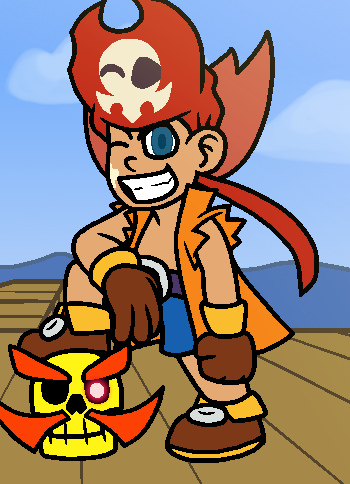
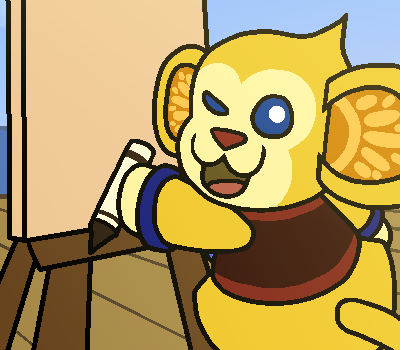
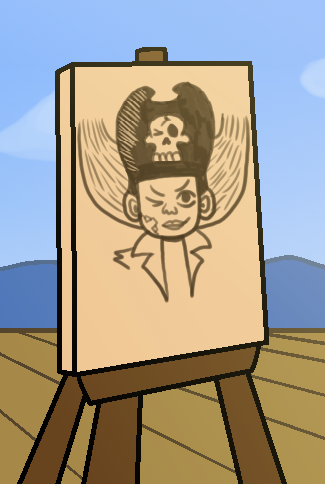
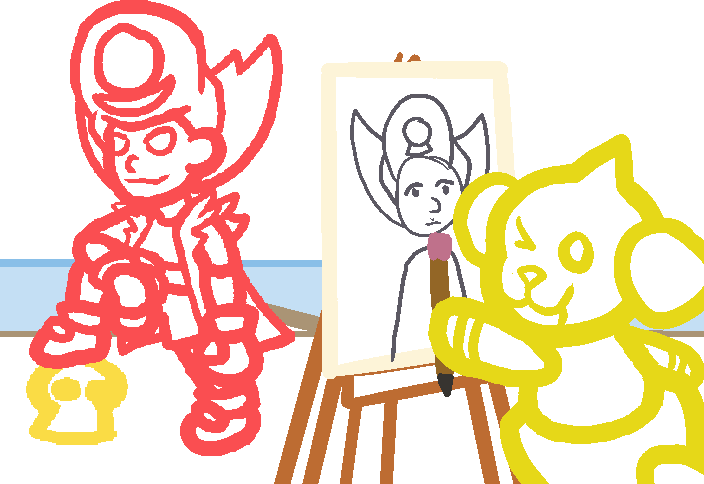
Zack, Wiki, Zack drawn by Wiki, Guides to draw Zack being drawn by Wiki
At first, I was worried that I wasn't going to do well to give these guys justice, but honestly they've turned out better than I expected them to.
Originally, I wanted to draw Zack in a triumphant post, wielding Wiki in bell-form, being drawn by Johnny. I can't remember if that was his name; it's the rabbit that has the cool helmet and shades, and I gave him a "Johnny Bravo doing an impersonation of Elvis" kind of voice. I decided to have Wiki draw it instead, since they apparently already have a knack of drawing goofy shit.
Why am I having a Completion Art piece where Zack gets drawn?
Well, it's this:
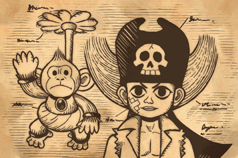
I think it speaks for itself.
Aaaaand now you know why I drew Zack on the canvas in that style. Notice that he isn't done, because Wiki didn't finish drawing him yet. It's a process, just like the one I'm showing you.
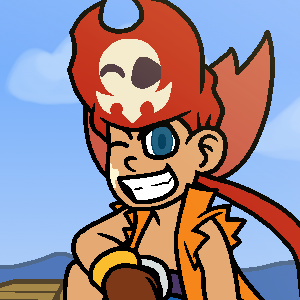
Originally I only had Wiki wink because it was breaking the fourth wall (like they're going "don't tell Zack I'm drawing him goofily"). Then I actually drew Zack (he was the first one I drew, then stopped partway through to draw Barbaros' skull). I figured he'd be winking because he's cocky and thinks he's amazing, and is always at his best, then I drew his skull on his hat winking too, since the skull actually emotes with him. It matches his expression/emotion a lot, so I thought it would make sense here. Then I drew the canvas, and had a sudden realization: I had planned on Wiki winking, but Zack and his hat are already winking. Should I commit to the bit, and draw them all winking, all skulls included?
I think it's a cute gag, since it's very silly and unnecessary, but I did it anyway, so fuck you.
I had also given Barbaros a glowing eye, but since only one of them is there, it looks like he's winking too, though he is nonplussed about it. Speaking of eyes, since I liked how I did the eyes for the SMG piece (which I also applied to my avatar), I figured I'd do it here too. I think I found a new way to do eyes from now on. Also, Wiki's eyes have the glint acting as their pupils. Well, pupil, since if I added it to their other, winking eye, it would make them look mischievous, which is not what I wanted in this piece. It's following my new rule for how I'm doing eyes for animals or characters with smaller eyes, where the white acts like their pupil, with their sclera being the color the iris would be, and no lineart in between.
I've been having fun so far, and the art is turning out great. In fact, there's one step left to do. Unfortunately, it's the shading.
I've been wanting to figure out how I shade for a while now. Sure I could just do it my usual way, with choosing the light and shadow colors, applying them to the surfaces, then giving them a blend mode. However, as of late, I want to strive for a better shading technique.
I've figured out one of two pieces regarding shading, though: the placement.
Remember Legend of Zelda: The Wind Waker? The art direction in that game is wonderful (at least to me; I know that there's some people who feel like the artstyle doesn't work for a Zelda game). In recent years, I had seen someone's video on how the game renders its shaders. Specifically, it uses the planes/vertices (don't remember specifically which one, though I believe it's the former) to render an object's shadow. Each plane (or "Face") is given a vector (imagine a 3d arrow coming from the middle of each face), and it points away from the face, in a perpendicular direction to the orientation of the face. For example, a ball would just look like a spiky ball.
Then, the game figures out where the light source is. The more direct a vector is at pointing towards the light source, the stronger it gets (imagine the arrow getting bigger and longer). Using this, therefore, means that the ones pointing the complete opposite direction will have the inverse effect (the arrow instead gets smaller and thinner). Using a pre-determined formula, the game can determine which face gets the base color and which gets the shading color by using the strength of the vectors. Any that are remotely facing the light will obviously get the base color, while anything pointing the opposite direction is getting the shaded look. I don't remember what magic it does to the ones not particularly pointing at any direction, and honestly I could be entirely wrong on this, but that's what I recall.
So the way I do it now is that anything that doesn't get direct light will probably be getting the shading. Since I do only one layer of cel-shading usually, the intensity of the shadow depends on the scene and lighting.
All I really struggle with is the colors now, as I feel like the Hard Light blend mode that I apply to my shading layers doesn't work as well as it used to. Whether that is caused by my skill as an artist increasing, or if I'm just realizing that it doesn't work the way I want it to now, I am unsure of.
That is all for today. Hopefully I can get myself to do more posts as December steamrolls its way through the last bit of 2025. Cya.